Let’s find out by deploying Druva for backing up VMs and restoring between Nutanix NC2 and Nutanix on-premise cluster
What is Druva and what is Nutanix?
In a hybrid multicloud world it would be nice to have a solution that supports both, on-prem and public cloud workloads. Nutanix is the Hybrid Multicloud leader according to Gartner and Forrester. Druva on the other hand is the one of the leaders in cyber reciliency in the market today. So how these two vendors match up?

Druva is one of the most interesting SaaS based data backup solutions in the market, SaaS offering that makes on-prem and cloud backup very easy and without too much the hassle. At the same time Nutanix has one of the interesting hybrid multicloud platforms in the market that does the same for the infrastructure - 'making the infrastructure invisible'.

In the part one I went through my test environment, prequisites and how easy it is to setup Druva data protection for NC2 - now I will go through how easy it is to restore VM from NC2 to on-prem Nutanix with Druva!
Restoring using Druva Enterprise workloads
Again, like in the deployment and backup part, I’m going to go through the steps as straight forward as possible, so you’ll get the idea how easy is to restore VM running on Nutanix from public cloud to on-prem with Druva!
Here we can see that the backups are successful on both sides, VMs running in the public cloud and on-prem
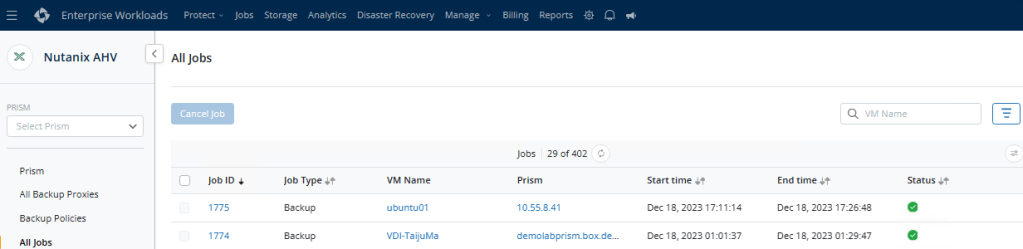
Let’s select ‘ubuntu01’ for restore:
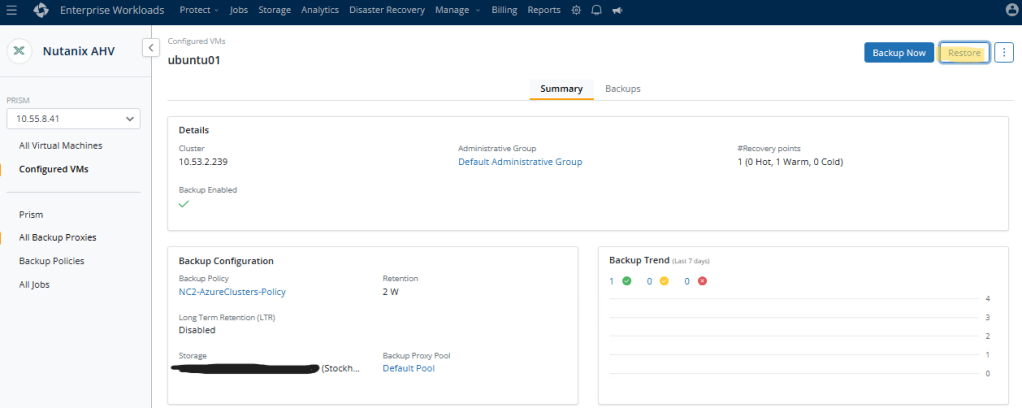
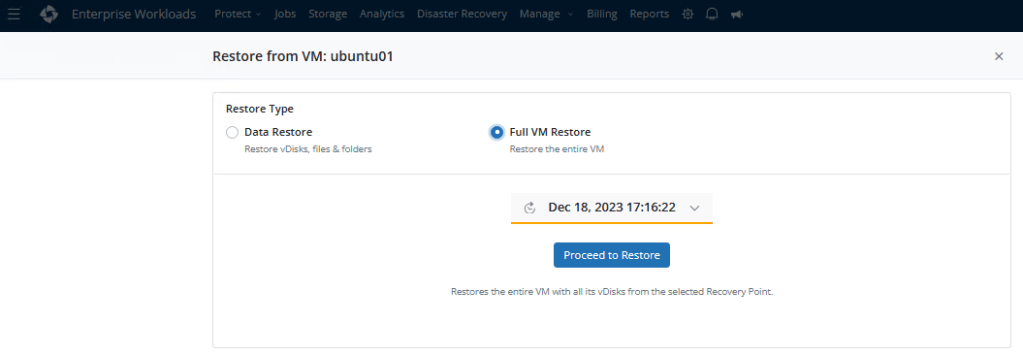
You can restore vDisks, files& folders and the whole VM – we are going to restore the whole VM in this exercise:
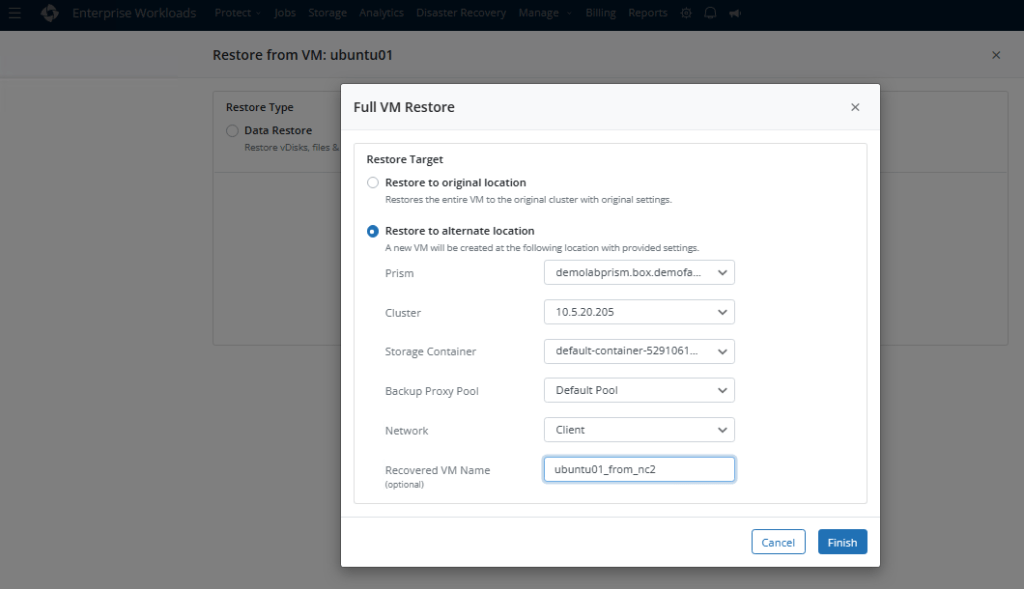
Next we need to select, do we want to restore the VM to the original location with original settings or to the alternate location, where we can select different prism, cluster, container, proxy pool, network and change the VM name also. So let’s go and select alternate location because we want to restore the VM to the on-prem cluster:
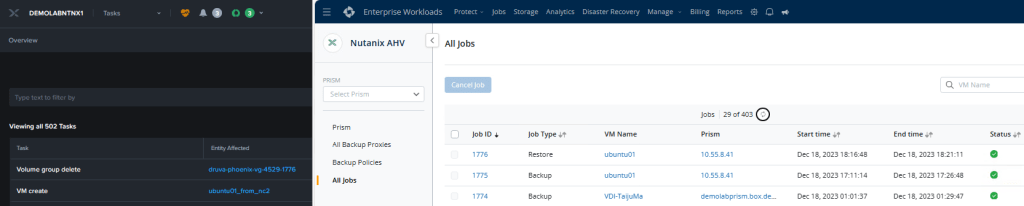
Restore starts and you can see the progress from ‘All Jobs’ section in Druva and you can also see tasks in the Nutanix cluster:

And we succeeded restoring the VM – the restore took less than 5 minutes!
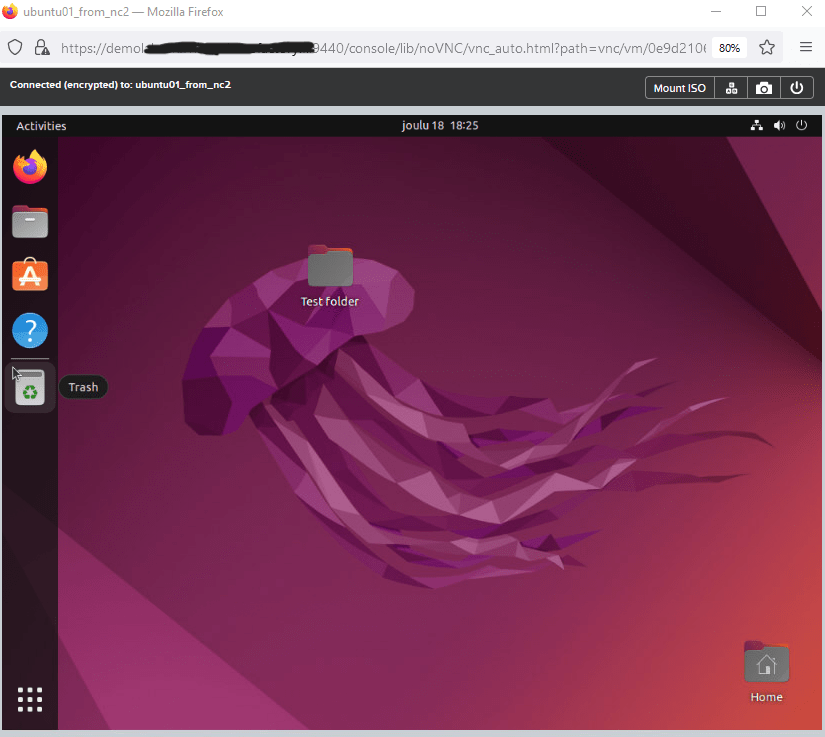
And let’s go and start the VM:
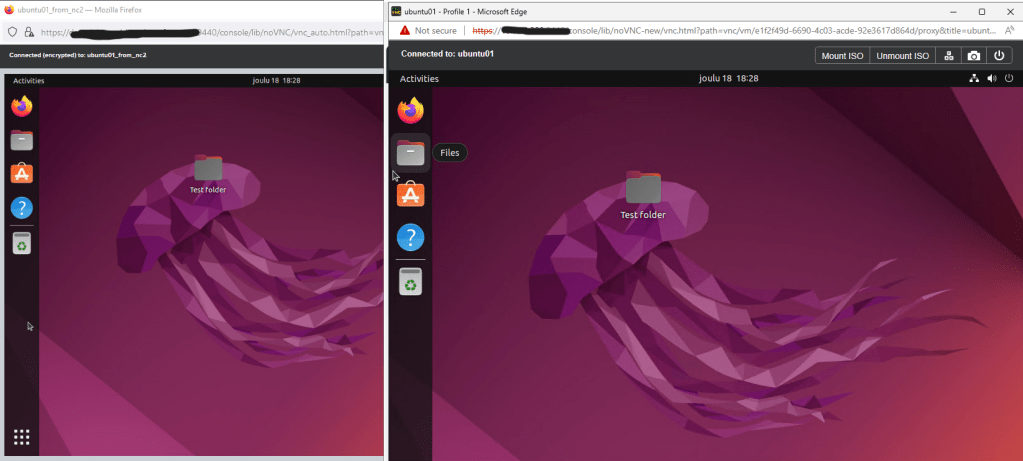
And here you can see the same VM running in the cloud and on-prem:
Conclusion
As we can see, the combination with Nutanix running hybrid and Druva backing up the Nutanix solution is quite straight forward. I was amazed how quickly I could achieve setting up the backup, running the backup and then restoring from the public cloud to on-prem.
Same goes with any other application, when you use Nutanix hybrid cloud solution, you don’t need to refactor your application, because as we can see here, the app just sees it just another data center running somewhere, but for the application the platform is the same. So imagine just bursting your workloads back and forth, where ever you need them.
I can imagine many great use cases, for example move you apps closer to your users or you suddenly need more resources, and you just cannot get the HW to your on-prem location as fast as you would need them, then take some extra resources from the public cloud, and make sure that it works like your on-prem solution, so you don’t need to learn or refactor things in between.
Links
For more detailed information about how to backup and restore Nutanix AHV virtual machines, can be found here:
Backup and Restore Nutanix AHV Virtual Machines – Druva Documentation
New to Nutanix, or want to see how their hybrid multicloud platform works? Try Nutanix test-drive:
 DC Skyline - blog